 ClickTrek
How to write a bug report with steps to reproduce and screenshots
Short answer: a good bug report lets a developer reproduce the problem without asking you anything. Give a one-line title, your environment, numbered steps from a known starting page, what you expected, what happened, and a screenshot of each step. Recording the steps with a click recorder takes about a minute and avoids the most common gap: a missing step.
Template
Title: [Page] [action] causes [problem]
Environment: Chrome version, operating system, account type, URL
Steps to reproduce:
  1. Open https://…
  2. Click …
  3. …
Expected result: …
Actual result: …
Attachments: numbered screenshots of each step, error message text
Capturing the steps with ClickTrek
- Go to the starting page of the problem (sign out and back in first if the bug depends on a fresh session).
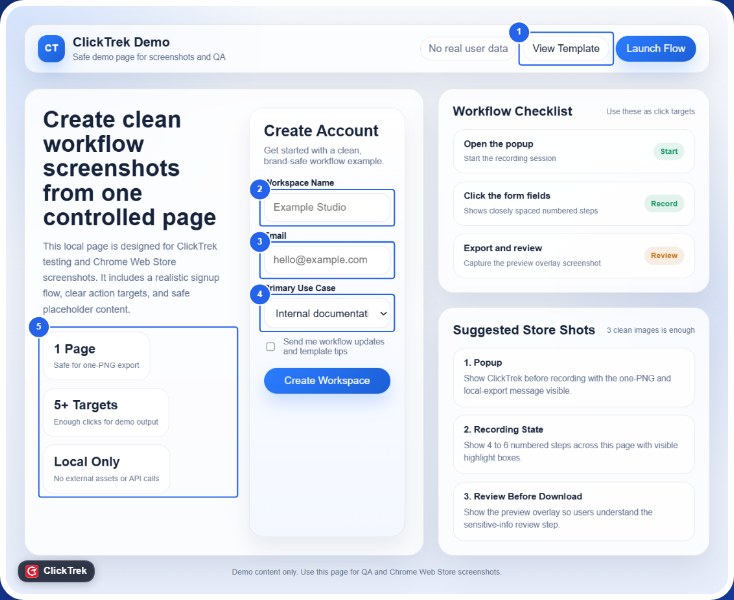
- Click the ClickTrek icon and choose Start Recording.
- Reproduce the bug, clicking exactly as a user would.
- Click Finish. On the Review capture page, delete pages that don't matter and add a label on the step where it goes wrong.
- Download the PNG or .zip and attach it to the Jira, GitHub, Linear or help-desk ticket. Copy the step list into the ticket text.
Tips
- Reproduce it twice before reporting; note if it only happens sometimes.
- One bug per report.
- Copy error text as text as well as in the picture, so it can be searched.
- Check for private data. Use a test account where possible. ClickTrek Pro can redact parts of a page before export.
Never miss a step in a bug report again. Free, no account, images stay on your device.
Add ClickTrek to Chrome